
Introduction
We build software faster today. But manual work creates delays and mistakes. That is why we need DevOps and CI/CD pipeline automation.
DevOps connects development and operations teams. CI/CD automates building, testing, and deployment. Together, they help us deliver better software with fewer errors.
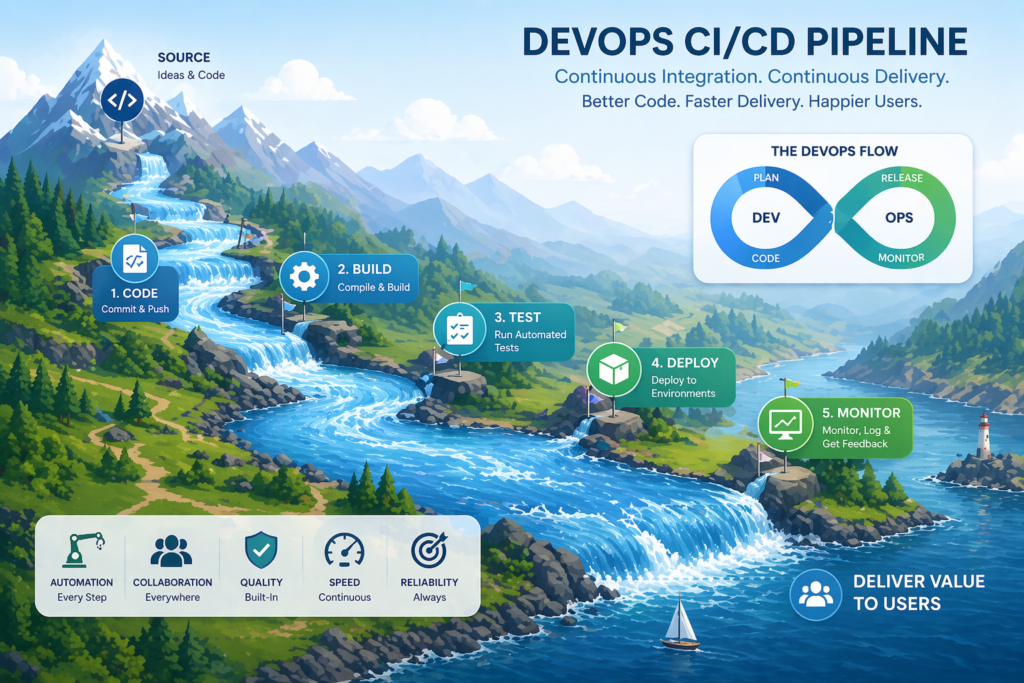
Think about a river. A river flows from mountains to the ocean. It never stops. DevOps and CI/CD create the same continuous flow in our software systems.
When flow stops, problems grow: bugs stay hidden, releases become slow, users wait too long, and teams feel stressed.
What is DevOps?
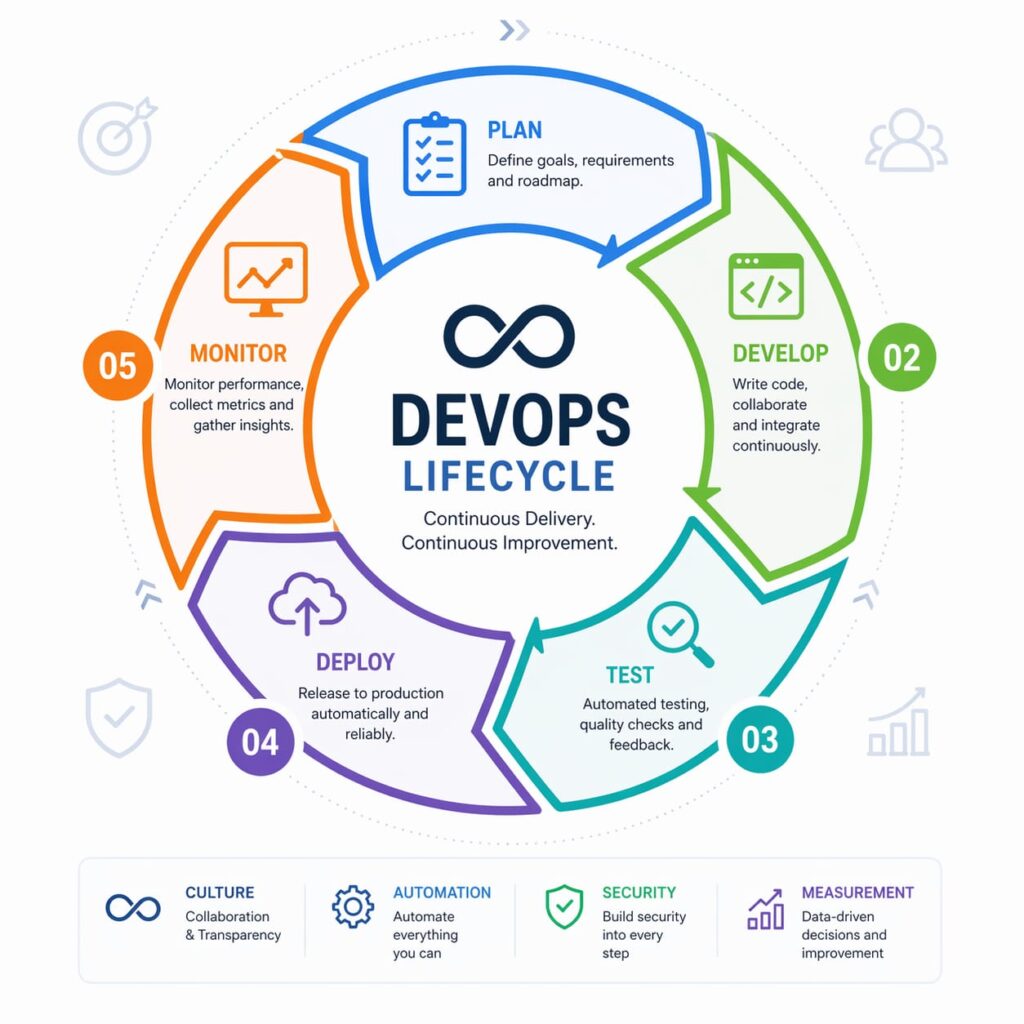
DevOps is a working culture. It joins Development and Operations teams.
Before DevOps (The Old Way)
| Team | Job | Problem |
| Developers | Write code | Do not understand servers |
| Operations | Deploy and manage | Do not understand new code |
This caused delays and confusion. Developers threw code “over the wall”. Operations struggled to make it work. Both teams blamed each other when things broke.
After DevOps (The Modern Way)
DevOps removes the wall. Teams work together from start to finish.
Real example: A developer helps design the server setup. An operations person reviews code before deployment. Everyone shares responsibility — no more “it works on my machine”.
Key Goals of DevOps
| Goal | What It Means |
| Improve collaboration | No more “us vs them” |
| Deliver faster | Release weekly or daily |
| Reduce errors | Catch bugs before users see them |
| Automate repetitive tasks | Let machines do boring work |
What is CI/CD?
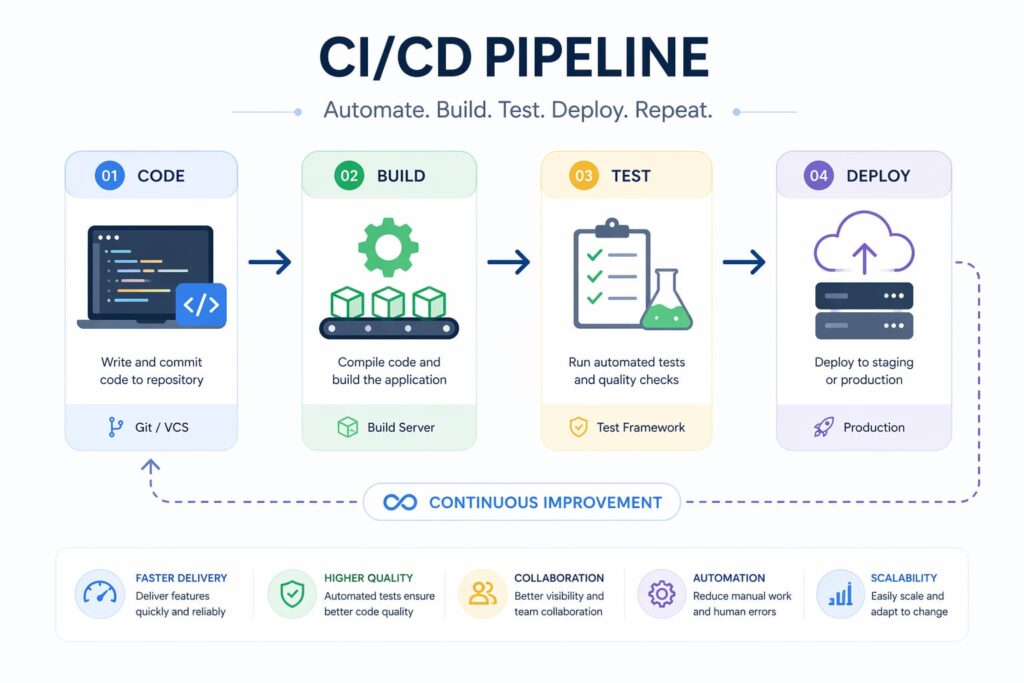
CI/CD is the engine of DevOps. It automates software delivery from code to user.
| Term | Full Meaning | Simple Explanation |
| CI | Continuous Integration | Merge code often, test automatically |
| CD | Continuous Delivery | Prepare code for release automatically (human may approve) |
| CD | Continuous Deployment | Deploy every change directly to users (no human) |
Continuous Delivery vs Continuous Deployment:
Continuous Delivery – A human clicks “deploy”.
Continuous Deployment – Code goes directly to users.
CI/CD Pipeline Stages
A CI/CD pipeline is a series of automated steps. Code enters one end. A live application comes out the other.
| Stage | Action | Type | If Fails |
| Code | Developer pushes to Git | Manual | Fix and push again |
| Build | System compiles project | Automated | Stop pipeline, email developer |
| Test | System runs automated tests (unit, integration, smoke tests – smoke test checks if app starts) | Automated | Stop pipeline, show which test failed |
| Deploy | System releases app | Automated/Human | Rollback to previous version |
Why CI matters : Finding a bug 5 minutes after writing it is easy. Finding it 5 weeks later costs 30x more time and money.
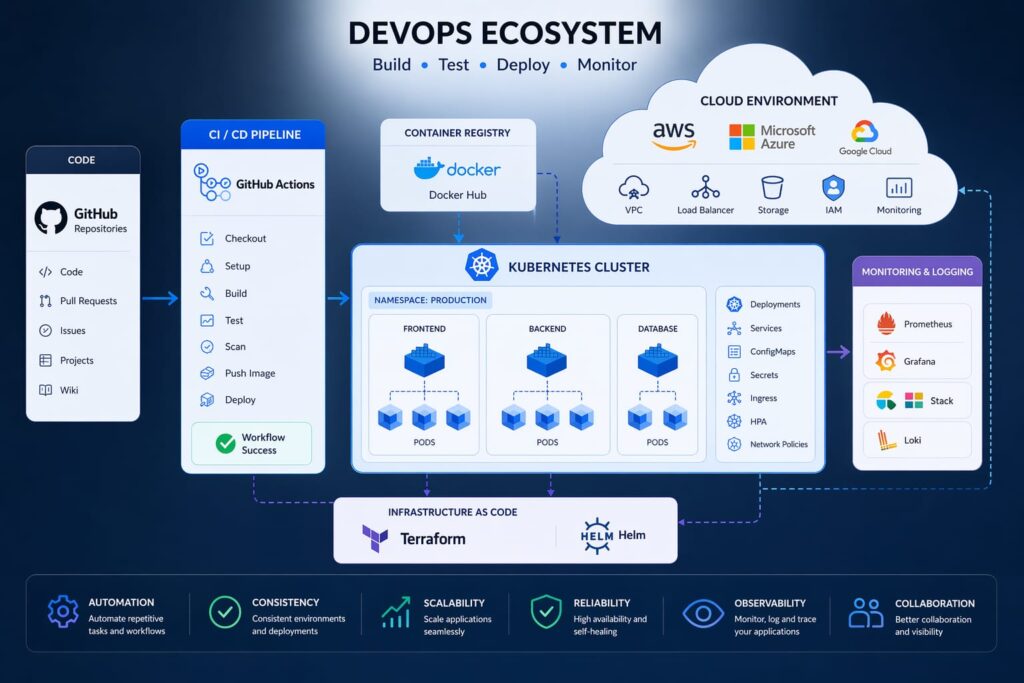
Popular DevOps Tools
| Category | Tool | Best For | Difficulty |
| CI/CD automation | Jenkins | Large teams, custom needs | Medium |
| CI/CD automation | GitHub Actions | Small teams, GitHub users | Easy |
| Containerization | Docker | Consistent environments | Medium |
| Orchestration | Kubernetes | Scaling many containers | Hard |
| Version control | Git | Tracking code changes | Easy (must learn first) |
Nature Analogy: Continuous Flow
| Nature | Software Pipeline |
| Rain / mountain spring | Developer writes code |
| Small streams joining | Build and test stages |
| Main river flowing | Pipeline moves forward |
| Ocean | Deployment to users |
What happens when flow stops? In nature, a stopped river becomes dirty. Plants and animals die. In software, a stopped pipeline means bugs pile up, users get angry, and teams lose trust. Continuous flow keeps everything healthy.
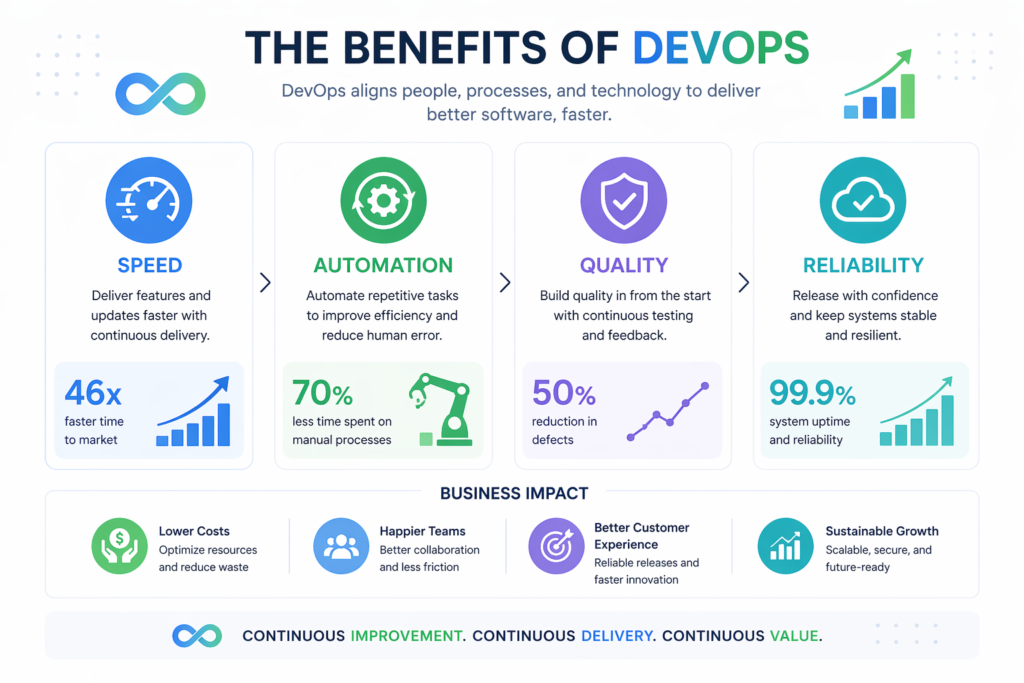
Benefits of DevOps & CI/CD
| Benefit | What Changes |
| Faster delivery | Release daily instead of monthly |
| Better quality | Catch bugs in minutes, not months |
| Continuous feedback | Know immediately if something breaks |
| Lower cost | Fixing bugs early costs 30x less |
| Better security | Automated security scans on every change |
| Happier teams | No more 3 AM emergency calls |
| Easy rollbacks | Go back to last good version in seconds |
Challenges and Solutions
Complex initial setup: Start small. Automate one simple project first.
Learning many new tools: Learn one tool at a time (Git → GitHub Actions → Docker).
Security risks: Never store passwords in code. Use secret management (GitHub Secrets, HashiCorp Vault).
Cultural resistance: Show small wins. Let skeptics see how much easier life becomes. Celebrate early successes.
Poor test quality: Write good tests. Aim for 70–80% coverage. Review tests like production code.
Pipeline flakiness: Make tests deterministic. Avoid “random failures”.
Best Practices
- Automate everything possible – builds, tests, deployments, notifications.
- Use Git for everything – code, configs, pipeline scripts.
- Run tests on every push – never skip tests to “save time.”
- Keep pipelines simple – one stage does one job.
- Monitor your pipelines – set up alerts for failures.
- Use Docker containers – remove “works on my machine” problems.
- Never change deployed code by hand – everything goes through the pipeline.
- Write small commits – easy to test and roll back.
- Start with a simple project – not a complex enterprise system.
- Document everything – future team members will thank you.
Future Trends
- AI-powered pipelines – AI predicts failing tests, suggests fixes.
- Self-healing systems – Kubernetes restarts crashed servers, auto-scales.
- Cloud-native development – Apps built for AWS/Azure/GCP, auto scale.
- DevSecOps integration – Security checks inside every pipeline.
- Faster CI/CD execution – Parallel testing, caching layers, near-instant feedback.
Conclusion
DevOps and CI/CD pipeline automation are essential for modern software development. They help us work faster, reduce errors, improve quality, reduce stress, and deliver value continuously. Like nature’s river flow, our software systems must stay active, automated, and healthy.
Start small, automate one step, and let the flow begin