
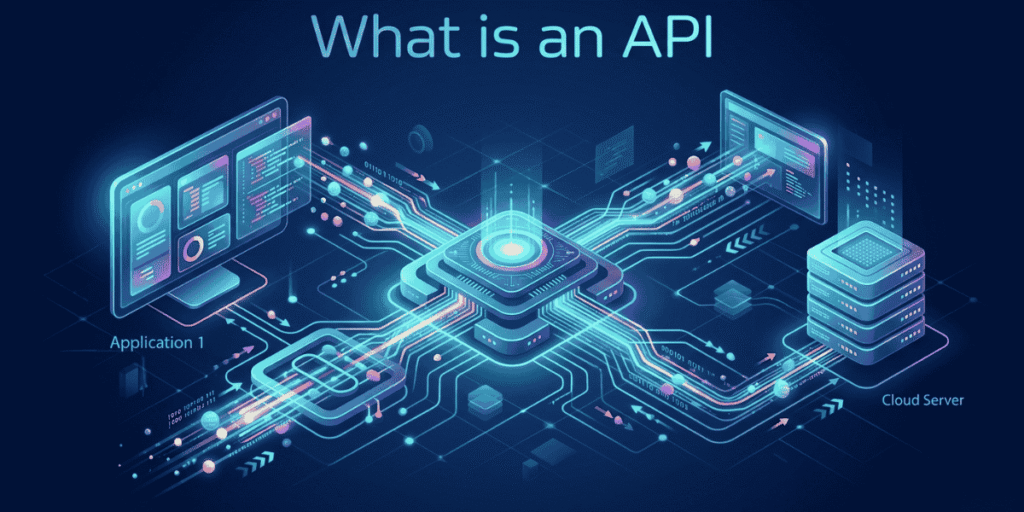
Introduction – What comes to your mind when you hear the word API?
You are a business owner. When you hear the word “API”, you probably think, “This is very complex – to understand it, you need to be at least a developer.” But that’s not true. An API is a very simple concept that we use unknowingly in our daily lives.
In this article, we will explain in simple terms what an API is, how it works, why it matters to your business, and what questions you should ask before using an API.
01. An API is exactly like a waiter in a restaurant
Imagine you go to a restaurant to eat a meal. You want to order a dish. Do you go into the kitchen and tell the chef directly? No. Instead, you give your order to the waiter. The waiter takes it to the kitchen and gives it to the chef. The chef looks at the order, prepares the food, and hands it back to the waiter. The waiter then brings it to your table.
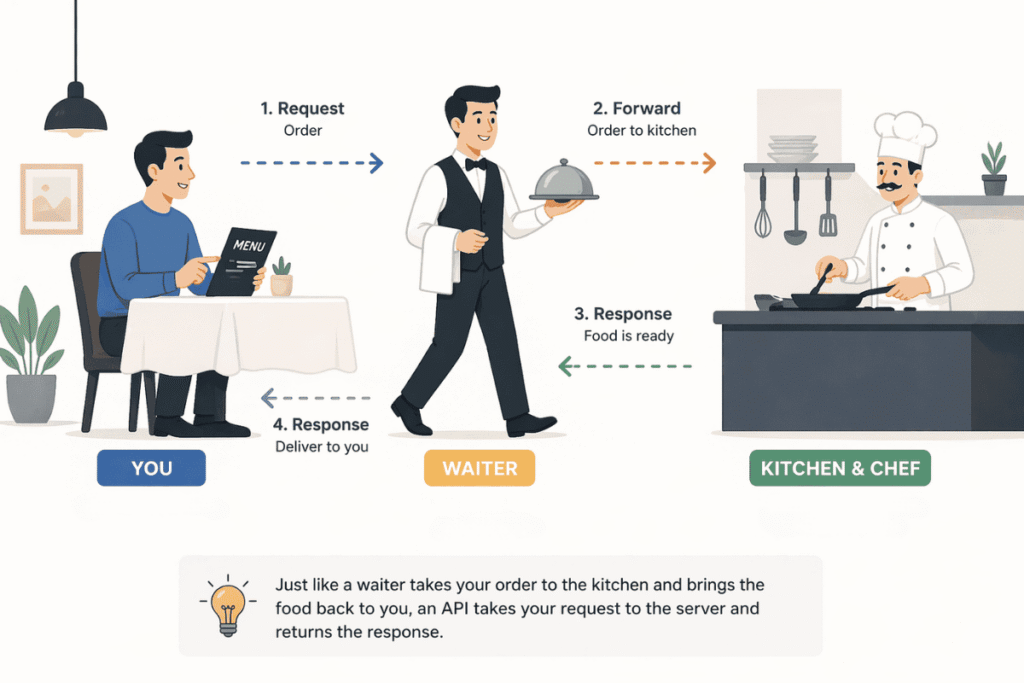
In this example:
- You = Client (the person or application making the request)
- Kitchen and chef = Server (the backend system that provides the service)
- Waiter = API
That’s exactly what an API does. It acts as a bridge between two applications. You don’t need to know the internal details of the kitchen (the server). You give your request to the waiter (the API), and he correctly fulfils it and brings back the response.
Another example: You log in to Facebook. You click the “Log in with Google” button. The communication between the Facebook app and your Google account happens through an API. You never give your Google password to Facebook. The API handles that complex task securely behind the scenes.
02. How does an API work?
The working of most APIs can be summarised in 4 steps:
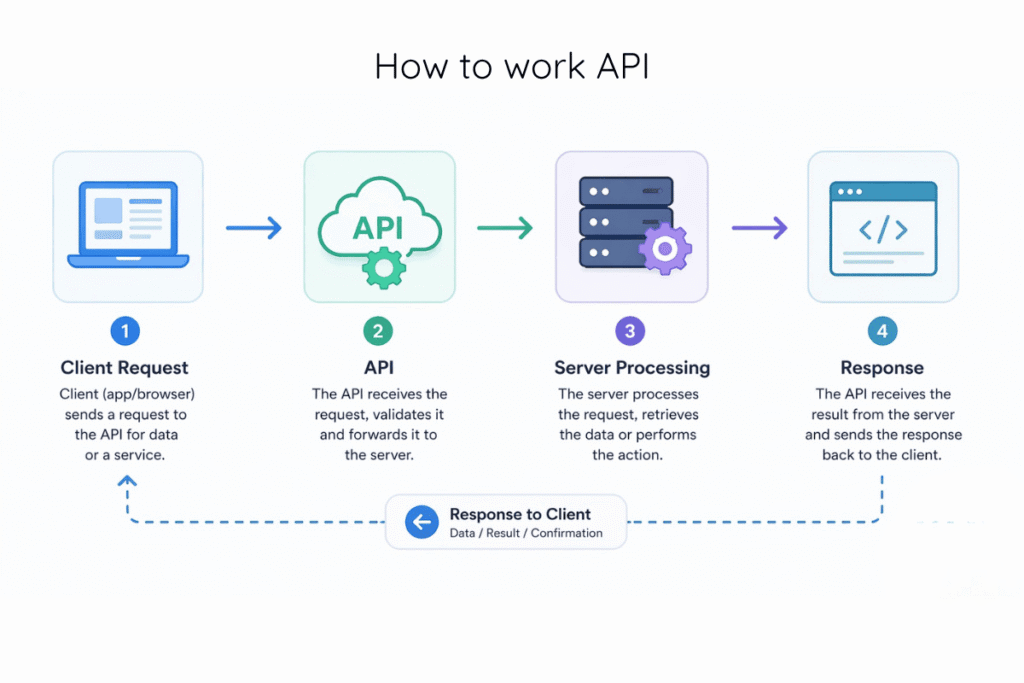
- Request – Your application asks the API for some data or a service. (Example: “Give me the weather in Colombo.”)
- API forwards – The API prepares the request in the proper format and sends it to the server.
- Processing –The server looks at the request, processes the required data (e.g., fetches Colombo’s temperature from a weather database), and returns the result to the API.
- Response – The API delivers that result back to your application. (Example: “Colombo 30°C”)
All of this happens in less than half a second. You only see the final result.
03. Everyday examples of APIs you use without knowing
You already use APIs – you just don’t call them by that name.
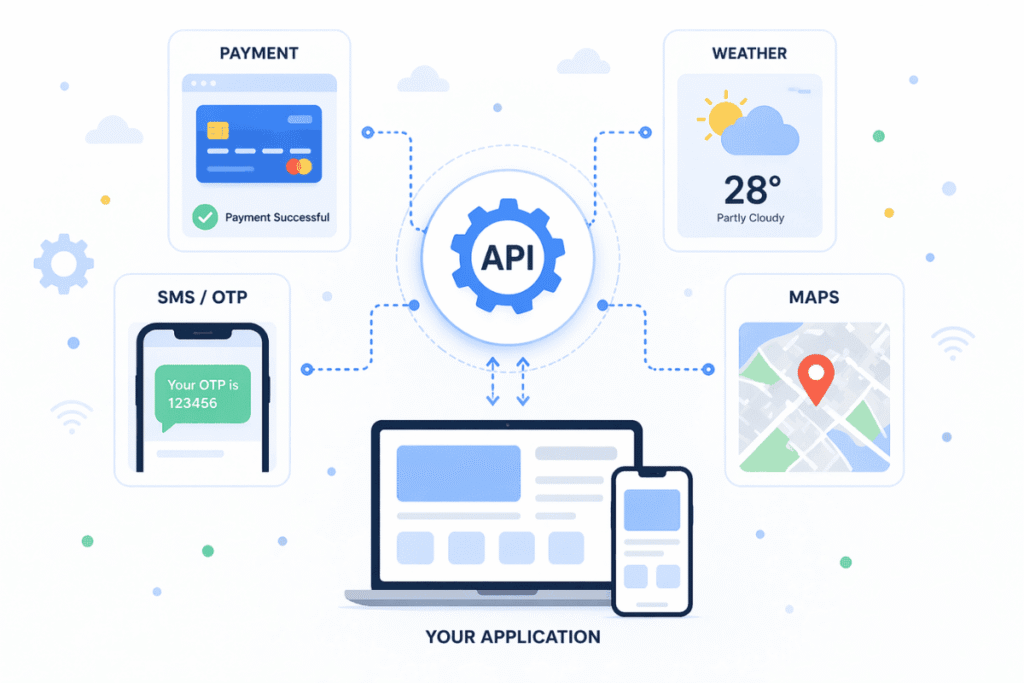
- Payment gateways – When you click the PayHere or Stripe button on your online store, the payment is processed through an API.
- Weather apps – The weather displayed on your phone comes from a weather API.
- SMS OTP – The message “Your OTP is 123456” that you receive during a bank transaction is sent via a telecom company’s SMS API.
- Google Maps – If your website has a map on the “Contact Us” page, that’s a Google Maps API.
04. Some APIs specific to Sri Lanka
If you run a business in Sri Lanka, knowing about the following APIs is especially valuable.
- LankaPay API – Sri Lanka’s national payment network that connects all banks. It can be used to accept online payments and facilitate interbank transactions.
- PayHere API – A widely used payment gateway for Sri Lankan e‑commerce websites. Its Checkout API lets you integrate the payment process directly into your site.
- Dialog / Mobitel / Hutch SMS API – Use these APIs to send automated SMS, OTP verification, or promotional messages to your customers.
- Uber API – Add a “Request a ride now” button to your website or app using Uber’s API.
You don’t need to write complex code yourself to use these APIs. Your development team or no‑code tools will handle the integration.
05. 5 key reasons why a business owner should understand API’s
Why is it important for a non‑technical person to know about APIs?
1. Add new features quickly
Suppose you want to add a live chat box, a payment gateway, or a map to your website. Instead of spending months and hundreds of thousands of rupees to build them from scratch, you can connect an existing API in just a few hours.
2. Communicate correctly with your developers
With a basic understanding of APIs, you can ask your tech team the right questions. For example: “What is the monthly cost of this API?”, “If the API goes down, what’s the backup plan?”, “Is our data secure?” Asking such questions helps prevent problems in advance.
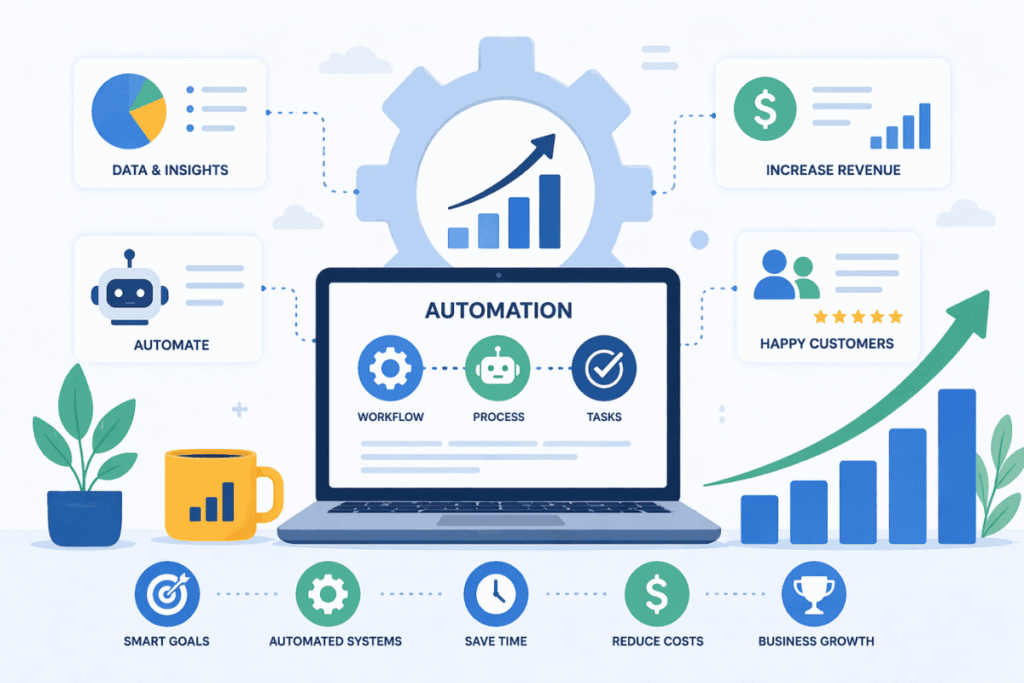
3. Business automation
APIs can automate many of your daily tasks. For example, when an order comes into your online store, an API can automatically reduce the inventory, send an email to the customer, and notify the delivery company – all without human intervention.
4. Gain a competitive advantage
APIs allow even a small business to compete with large companies. For instance, you can add an AI chatbot to your website via an API. That puts you ahead of competitors who don’t have such features.
5. Improve customer experience
APIs give customers a smooth, fast, and convenient experience. Example: Instead of answering “Where is my parcel?” manually, you can show a live map using a delivery API. Such transparency builds customer trust.
06. Risks of using APIs
It’s essential for a business owner to know not only the benefits but also the risks.
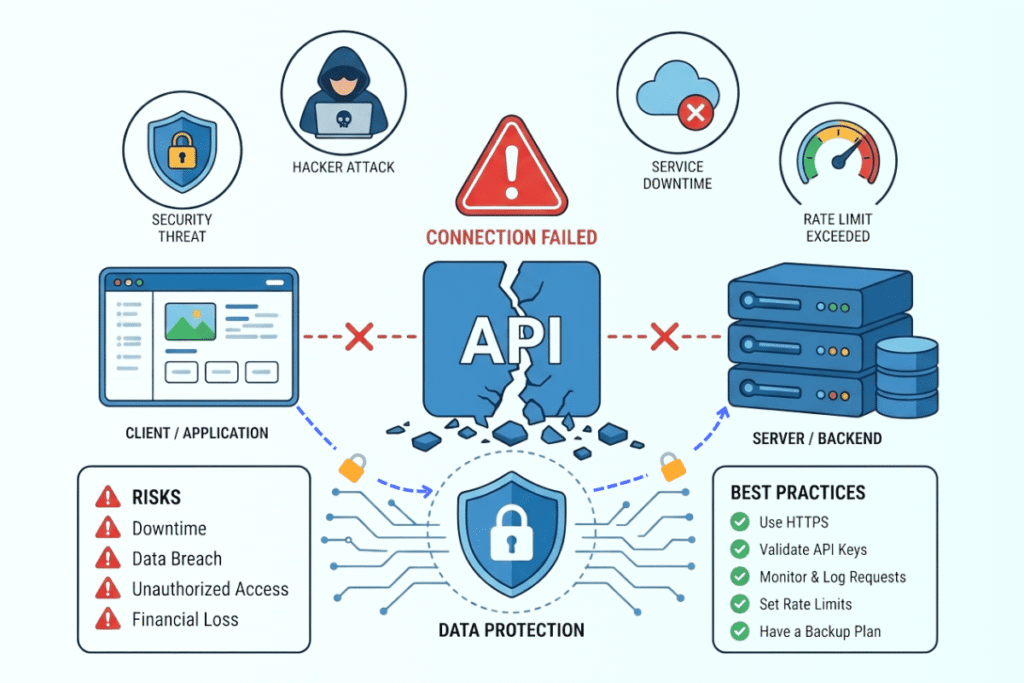
- Downtime – If the payment API you rely on goes down for an hour, you lose an hour of
sales. Always check the provider’s “Uptime Guarantee” (often 99.9% or higher). - Security issues – Customer personal data (names, addresses, credit card details) travels
through the API. If not encrypted, hackers can intercept it. Ensure that HTTPS and security
measures like API keys are used. A simple rule: never expose your API keys publicly (e.g., in
browser consoles or GitHub). - Dependency on a third party – If your business depends on a critical API and the
provider suddenly raises prices or shuts down the service, you will need to find an alternative.
(Example: Twitter’s sudden API changes hit many small developers hard.) - Rate limits – Many APIs have limits on how many requests you can make per second or
per hour. If your business suddenly becomes popular, the API may start rejecting requests
with a “Too Many Requests” error.
How to minimise risks? – Keep a backup (alternative) API, cache data where possible, and
thoroughly check the reputation of the API provider.
07. Free vs. paid APIs – which one should you choose?
- Free tier – Many API providers offer a limited number of free requests per month (e.g., 1000 SMS). Great for starting out. However, there may be limitations, slower responses, and lower priority support.
- Paid tier – Offers reliable support, higher limits, faster responses, and a Service Level Agreement (SLA). Switch to a paid plan as your business grows.
Advice: Start with the free tier to test, then move to a paid plan based on your needs.
08. Questions a business owner should ask when choosing an API
Ask your developer these questions:
- Is the documentation clear? – Are there examples that explain how to use the API?
- What is the uptime guarantee? – Is it 99.9% or higher?
- Is support available? – Is there a team you can contact if the API breaks?
- What are the rate limits? – How many requests per second / per hour are allowed?
- What is the API versioning policy? – How long will an old version be supported?(If they move from v1 to v2, will your system break?)
- Data security & compliance – What about encryption, GDPR, PCI DSS?
09. No‑Code tools to use APIs without writing code
By now you might be thinking, “I don’t know how to write code. Can I still use APIs?” The answer is Yes, you can.
Platforms like Zapier, Make (Integromat), and n8n exist. These are called “No‑Code” tools. They allow you to connect multiple APIs together without writing a single line of code. Discuss these options with your developer.
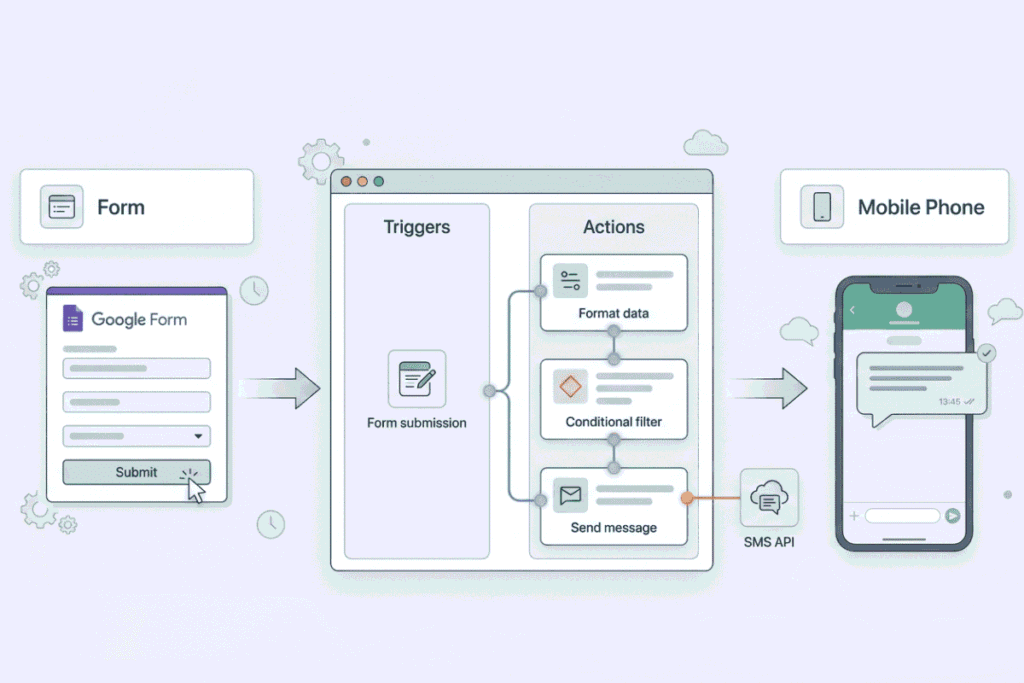
Example: Suppose you want to receive an SMS every time a customer fills out the Contact Form on your website. In Zapier, you would do just three steps
- Choose the Trigger: “When a new response arrives in Google Forms”
- Choose the Action: “Connect to Dialog SMS API and send an SMS”
- Enter your phone number.
That’s it. No code. Such automations can be set up in a few weeks. Most of these tools offer a free tier with limited usage.
10. Examples of world‑famous successful API‑driven businesses
It’s hard to imagine these businesses without APIs.
- Uber – They don’t build their own maps. They use the Google Maps API. Payments, SMS, push notifications – everything is built on APIs. They also provide their own API, allowing other businesses to request a ride directly from their app.
- Amazon – They offer the Selling Partner API (SP‑API) that lets third‑party sellers programmatically list products, manage orders, and access payments. Estimates suggest more than 50% of Amazon’s sales come through that API.
- Shopify – Store owners and developers can manage products, orders, and customers via Shopify’s APIs. Hundreds of apps on the Shopify App Store work entirely through those APIs.
You can also create your own API. – If your business has a valuable service (e.g., instalment calculation, stock checking, or report generation), you can expose it as an API and let other companies use it – creating an additional revenue stream.
11. Final words – simple steps you can take today
You now have a basic understanding of APIs. What should you do next?
- Identify a task in your business that can be automated – A small, repetitive task (e.g., sending an order confirmation SMS to the customer).
- Find a suitable API for that task – Look for an SMS API, email API, payment API, etc. In Sri Lanka, consider local options like Dialog SMS API or PayHere.
- Experiment using a no‑code tool – Create a free account on Zapier or Make and test whether your desired automation works.
- Don’t be afraid of failure – If one API fails, you can find an alternative. Never rely solely on a single API.
Conclusion: An API is simply a bridge that connects your business to the digital world. You don’t need to be a developer to understand it. It’s as simple as understanding a waiter in a restaurant.
Does your business already use an API? (For example, PayHere, Google Maps, Facebook Pixel). Or do you have an idea to integrate a new API? Leave a comment below – your experience will help other business owners as well.